⚙️ Fill out Settings
In the "Settings" tab, you can change various settings while creating or editing an individual program.
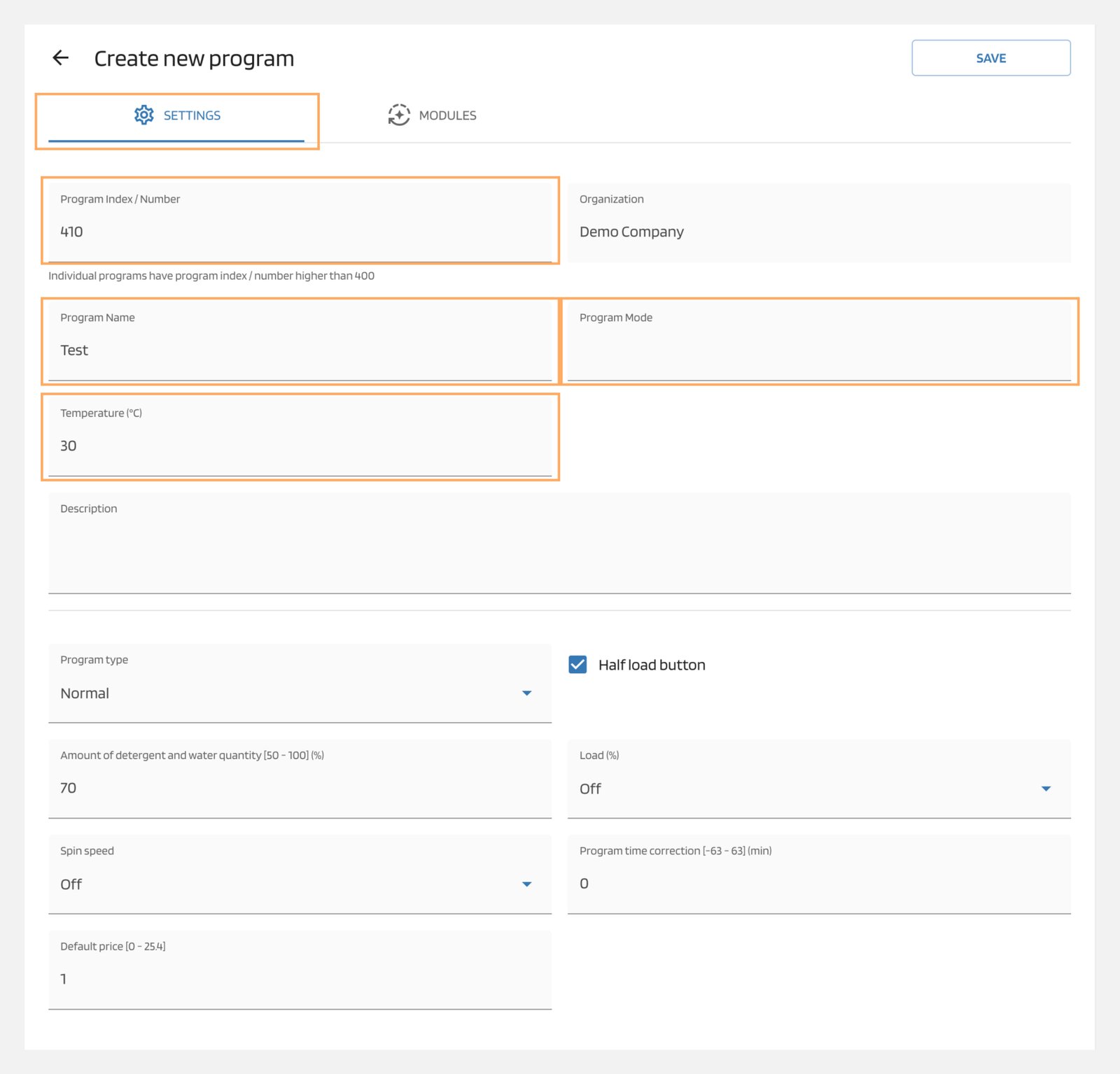
Program Index/ Number
You can only assign the program number when you create the program. The number can only be featured once within the data base, and must be a number between 400 and 999.
Note
programs with numbers < 400 are Schulthess standard programs. In these programs you can only change the LIQ. DET. parameters.
Program Name
A maximum of 30 characters can be entered for the program name. This name corresponds to the display name on the machine. If too many characters are entered, it is then possible that the text will be shortened or overwritten by an existing text (e.g. time).
Program Type
You can select the program type as "Normal" or set it to disinfect if you want to enable hygiene monitoring.
Note
You can ignore these program types label and free.
Program Mode
if you wish to further tag your program with additional information, please select a program mode which will be shown on the machine
Temperature (°C)
This temperature will be displayed on the machine display. The temperature of the soap suds is not affected by this value. In the case that 0°C has been entered, no temperature value will be indicated on the display.
Spin Speed
Here you can choose the desired spin speed for the wash program. This value is displayed in the options screen of the machine. It specifies the maximum speed for the wash program, even if higher values are specified in the individual modules.
Note
Please note that it is possible that a lower maximum speed is stored in the machine and this can subsequently limit the speed. If "NoSpin” is chosen, then all the spin cycles will be skipped.
Load
The display calculates the percentage until the maximum load is reached. When, for example, for an 8 kg machine 50% is selected, the display will show a 4 kg load.
Note
This setting has no effect on the running program.
Program Time Correction (-63 - 63)(min)
If the actual program time does not match the displayed program time, the displayed program time can be corrected here. This time does not influence the program's running time. In the first Washing module, the correction of the program time is deleted or added. Since the running time of this first module cannot be a negative value, the program running time of the wash program can only be shortened within the running time of this first wash module.
Example: If the actual running time of the first wash module is, for example, 10 min. and if the desired correction program time is entered as -20 min., the actual program running time will be corrected as -10 min.
Description
A maximum of 100 characters can be entered for the program description. This description is only displayed in the data base.
Half Load Button
-
Not Enabled: The half load option is not available in this program. This function is greyed out in the options screen. In the "Disinfection" program, the half load button is set to "No" and greyed out.
-
Enabled: The half load option is available in this program in the options screen. By specifying the value of Amount of detergent and water quantity (50 - 100)(%), you can then further specify the half load function.