🔄 Create Program Group with Individual Screen Position
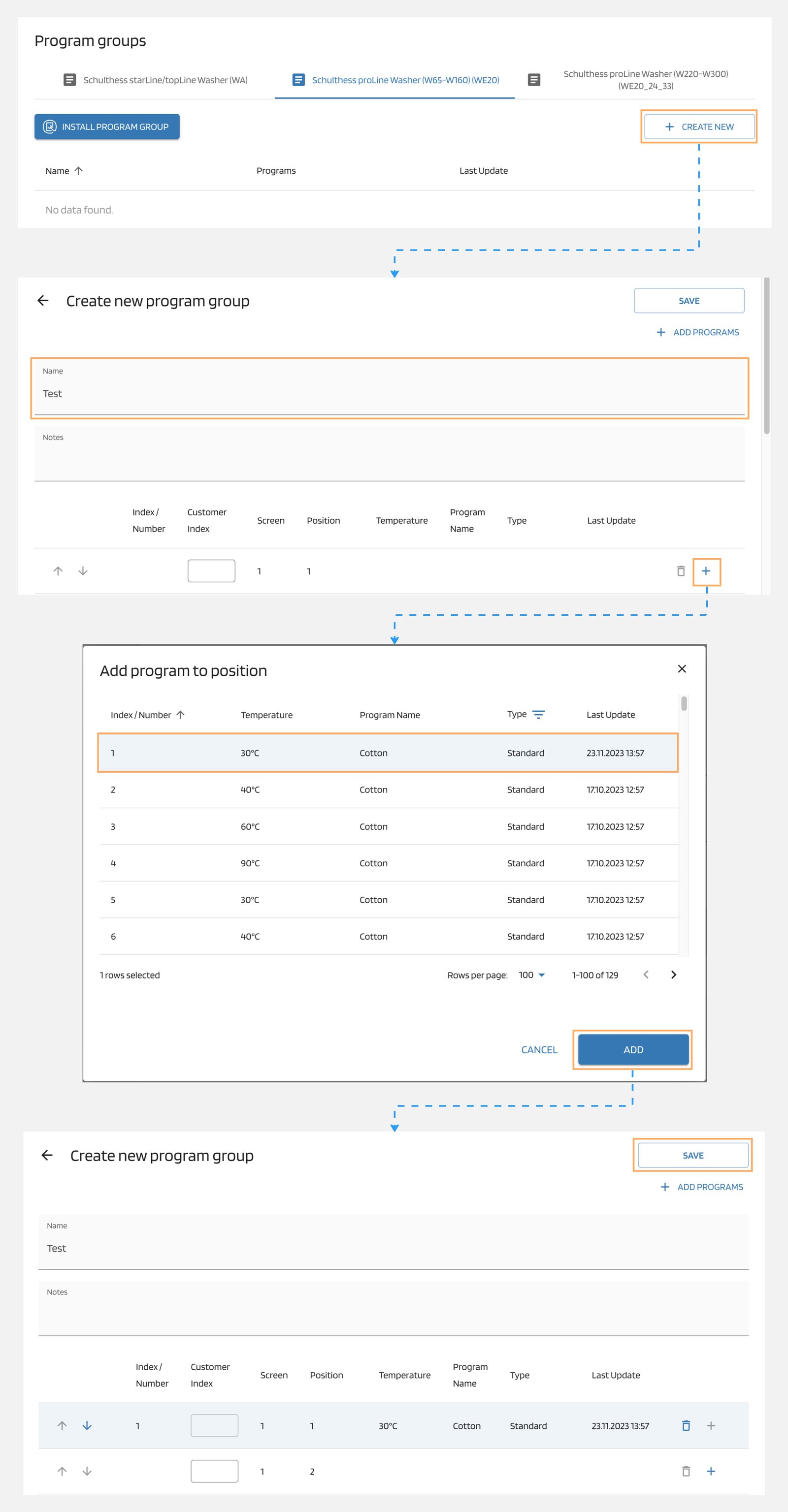
You can set an individual or standard program to any position on the screen in the Proficlean Programs-Selection. There are 24 available slots to choose from. To add your desired program, click on the Plus/Add icon on the specific slot. The trash icon removes a program. Use the arrows to move programs up or down. You can also assign a customer index to your program, which will be included in the program's name when loaded into the machine.
How to create program group
- Click on the Plus/Add icon next to the specific slot.
- Select the program from the list.
- Click on the "Add" button.