📤 Export Program Group (USB/Peer2Peer)
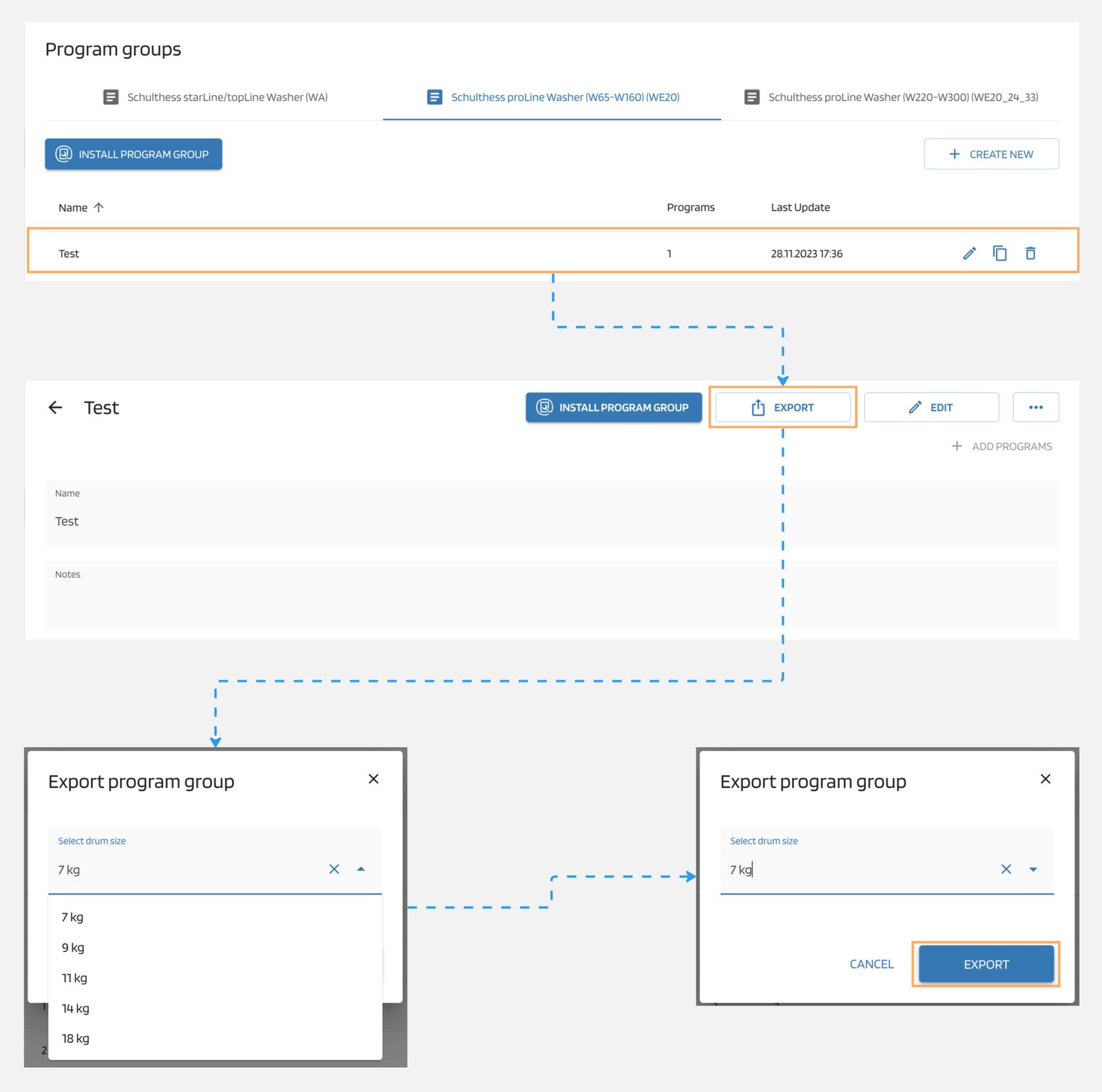
To export program group to upload it using USB/Peer2Peer, follow these steps:
- Navigate to "Program Groups".
- Select the desired program group from the list.
- Click on the "Export" button located at the top-right corner.
- Choose the drum size and click on "Export".
Note
To upload the program group via USB/Peer2Peer on the machine, please refer to the appropriate machine manual.