📥 Import Program
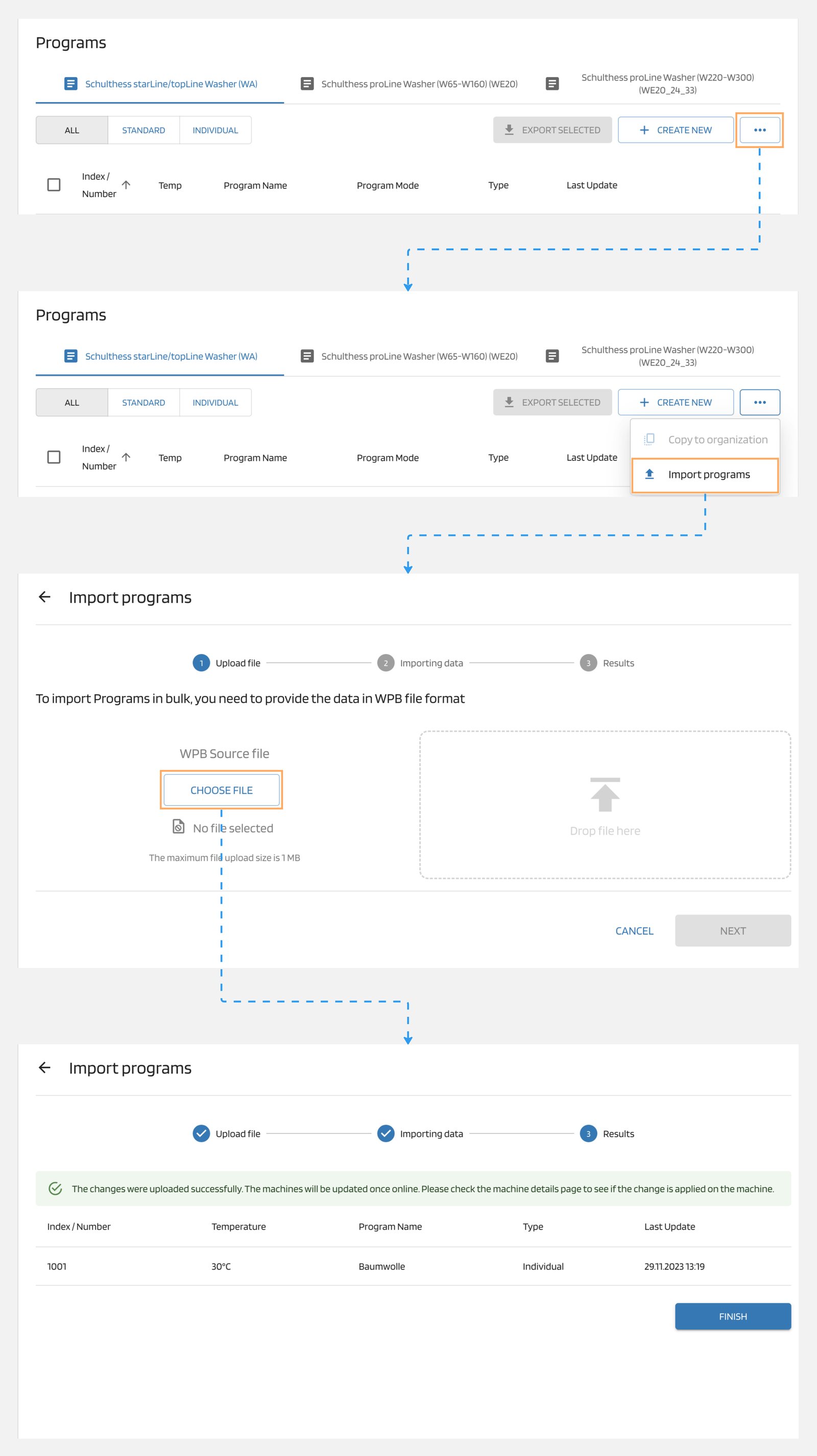
Importing a program is easy. Just follow these steps:
- In your programs list, locate the three-dots "..." icon.
- Click on the icon and select "Import program" from the options.
- Choose the program file you want to import, which should be in WPB format.
- Start the import process and wait for it to complete.
That's it! You have successfully imported the program as a WPB file.