🛠️ Install Program Group via serviceMaster
To install a program group using serviceMaster, follow these steps:
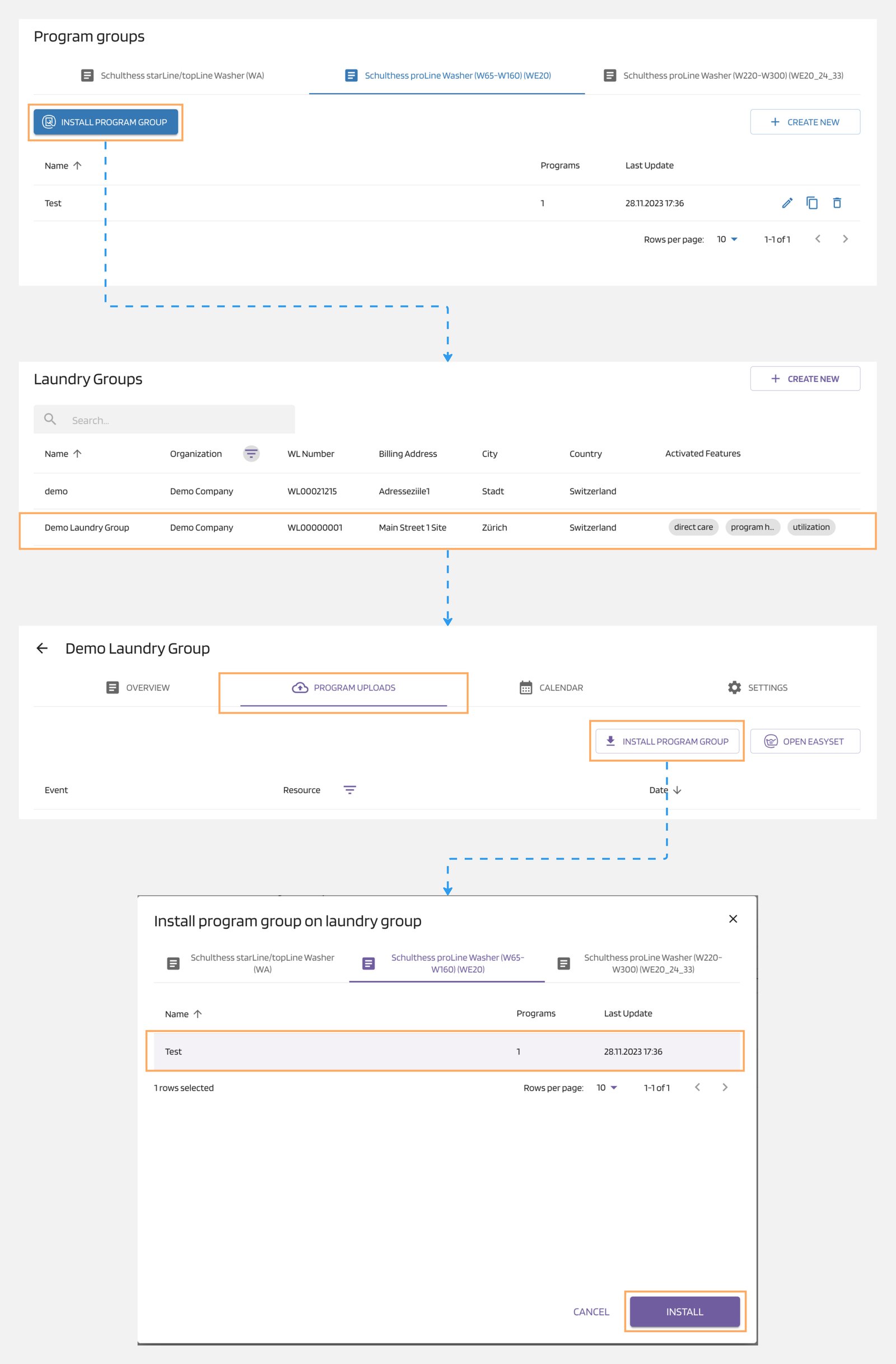
- Navigate to the "Program Groups" section.
- Click on the "Install Program Group" button.
- You will be redirected to serviceMaster to select your laundry group.
- Go to the "Program Uploads" tab.
- Click on the "Install Program Group" button.
- A pop-up will appear for selecting the program group.
- Choose the desired program group and click on the "Install" button.
Note
These settings apply to all connected machine types in the laundry group. You can also select a specific machine in the serviceMaster platform to transfer the program group to only one machine in the group.